
Table of Contents
Introduction
Every time you switch on your computer, open a browser, install software, or save a file, an invisible system works tirelessly behind the scenes. That system is the Operating System (OS) — the most critical software layer that connects users, applications, and hardware.
From desktops running Microsoft Windows to Apple devices powered by macOS, servers running Linux, and smartphones using Android, all operating systems are built on structured architectural foundations.
One of the most important and foundational OS designs is the Layered Operating System Structure.
What Is Operating System Layers?
An Operating System Layer is a logical division within the OS architecture where each layer performs a specific function and communicates only with the layer directly above or below it.
Think of it like a corporate hierarchy:
- Bottom: Hardware staff
- Middle: Management and coordination
- Top: Customer service (user interaction)
Each level has defined responsibilities and limited communication pathways.
Core Characteristics of OS Layers
| Feature | Explanation | Why It Matters |
| Abstraction | Each layer hides complexity of lower layers | Makes development simpler |
| Modularity | Functions are divided into manageable units | Easier debugging & updates |
| Structured Communication | Layers talk only to adjacent layers | Prevents chaos |
| Security Isolation | Applications cannot directly access hardware | Protects system integrity |
| Maintainability | Changes can be made layer-wise | Long-term sustainability |
Why Talk About Operating System Layers?
Understanding OS layers is essential for several reasons:
- Builds foundational system knowledge
- Helps in OS exam preparation
- Important for system design interviews
- Improves debugging skills
- Explains how hardware-software interaction works
- Essential for kernel and driver development
Importance Across Different Roles
| Role | Why OS Layers Matter |
| Computer Science Student | Core academic concept |
| Software Developer | Understands system calls |
| System Administrator | Troubleshooting system-level issues |
| Cybersecurity Analyst | Identifies attack surfaces |
| Kernel Developer | Designs core OS components |
| Cloud Engineer | Works with virtualized OS layers |
7 Operating System Layers: Explained Simply
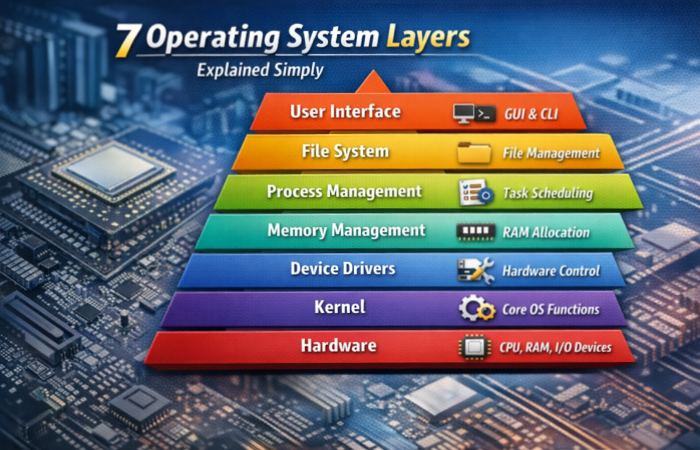
While implementations vary, the classical 7-layer OS model includes the following:
1. Hardware Layer
This is the physical foundation of the system.
It includes:
- CPU
- RAM
- Storage devices
- Input/Output devices
- Network cards
Without hardware, the OS has nothing to control.
Hardware Responsibilities
| Component | Function |
| CPU | Executes instructions |
| RAM | Temporary memory storage |
| HDD/SSD | Permanent data storage |
| Keyboard/Mouse | Input devices |
| GPU | Handles graphics processing |
2. Kernel Layer
The kernel is the heart of the operating system.
For example:
- Linux kernel manages hardware interactions in Linux systems.
Kernel Responsibilities
| Function | Description |
| Process Scheduling | Allocates CPU time |
| Memory Allocation | Distributes RAM |
| System Calls | Interface for programs |
| Interrupt Handling | Responds to hardware signals |
| Resource Management | Controls hardware access |
The kernel directly communicates with hardware and provides services to upper layers.
3. Device Driver Layer
Device drivers act as translators between hardware and the OS.
Examples of Drivers
| Device | Driver Purpose |
| Printer | Converts print commands |
| Graphics Card | Manages display output |
| Network Card | Handles internet communication |
| USB Devices | Enables external connectivity |
Without drivers, hardware becomes unusable.
4. Memory Management Layer
This layer ensures safe and efficient memory usage.
Memory Management Functions
| Function | Purpose |
| Allocation | Assigns memory to processes |
| Deallocation | Frees unused memory |
| Virtual Memory | Extends RAM using disk |
| Paging | Divides memory into blocks |
| Protection | Prevents overlap between processes |
This layer enables multitasking without system crashes.
5. Process Management Layer
Process management controls running programs.
Key Functions
| Function | Description |
| Process Creation | Starts new tasks |
| Scheduling | Decides execution order |
| Context Switching | Switches CPU between tasks |
| Thread Management | Controls lightweight processes |
| Synchronization | Prevents conflicts |
This layer ensures fair CPU distribution.
6. File System Layer
This layer organizes data storage.
File System Functions
| Feature | Explanation |
| File Creation | Creates data units |
| Directory Structure | Organizes folders |
| Permissions | Controls access rights |
| Storage Allocation | Manages disk blocks |
| Data Retrieval | Reads stored information |
Examples include NTFS and EXT4.
7. User Interface Layer
The topmost layer interacts directly with users.
Types of Interfaces
| Type | Example |
| GUI | Windows Desktop |
| CLI | Linux Terminal |
| Touch UI | Android Interface |
This layer converts user commands into system operations.
How the Operating System Layers Relate to Each Other
The layered model follows a strict hierarchical structure.
Example: Opening a File
| Step | Layer Involved | Action |
| 1 | User Interface | User clicks file |
| 2 | File System | Locates file |
| 3 | Memory Layer | Allocates RAM |
| 4 | Kernel | Requests disk read |
| 5 | Hardware | Executes read operation |
Each layer depends on the one below it.
Why the Layered Model Is Still Useful
Modern systems like Windows 11 still use layered principles, even if internally more complex.
Benefits in Modern Computing
| Reason | Impact |
| Modularity | Independent upgrades |
| Security | Limited hardware exposure |
| Scalability | Works for small & large systems |
| Debugging | Easier fault isolation |
| Development | Clear responsibility separation |
Architecture of Layered Structure
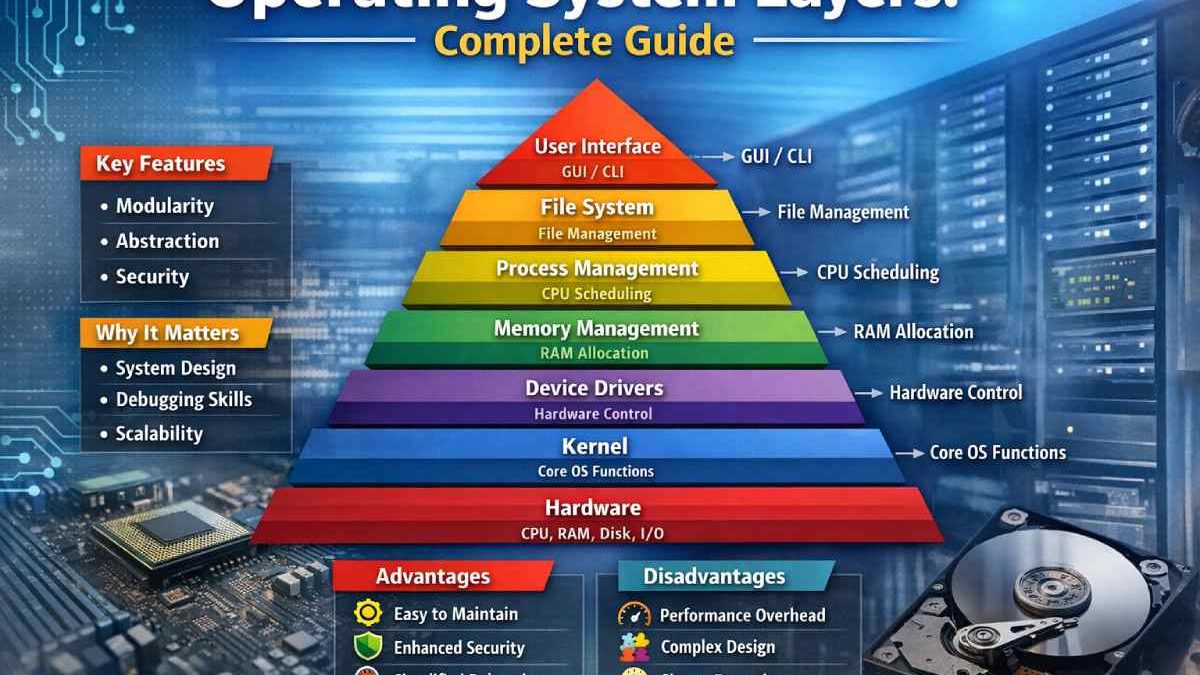
Layered Architecture Stack
| Layer Number | Layer Name | Responsibility |
| 7 | User Interface | User interaction |
| 6 | File System | Data management |
| 5 | Process Management | Task scheduling |
| 4 | Memory Management | RAM control |
| 3 | Device Drivers | Hardware communication |
| 2 | Kernel | Core management |
| 1 | Hardware | Physical components |
The architecture enforces strict communication rules.
Advantages of Layered Structure
| Advantage | Detailed Explanation |
| Structured Design | Clear logical hierarchy |
| Improved Security | Hardware access is restricted |
| Easy Maintenance | Modify one layer independently |
| Reusability | Layers can be reused in other systems |
| Testing Simplicity | Layer-wise testing possible |
| Scalability | Supports system growth |
Disadvantages of Layered Structure
| Disadvantage | Detailed Explanation |
| Performance Overhead | Multiple layer transitions |
| Design Difficulty | Hard to strictly separate responsibilities |
| Inflexibility | Direct hardware access not allowed |
| Slower Execution | Additional abstraction delays |
| Complex Implementation | Layer boundaries not always clear |
Operating System Layers Diagram
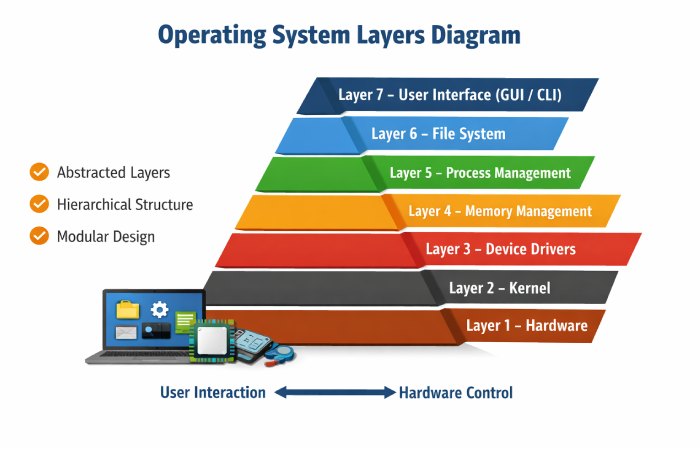
Text Representation of OS Layers
Layer 7 – User Interface
Layer 6 – File System
Layer 5 – Process Management
Layer 4 – Memory Management
Layer 3 – Device Drivers
Layer 2 – Kernel
Layer 1 – Hardware
The pyramid representation emphasizes:
- Top = User abstraction
- Bottom = Hardware control
Real-World Example of Layered Execution
Example: Printing a Document
| Step | Layer | Function |
| 1 | UI | User clicks Print |
| 2 | File System | Retrieves document |
| 3 | Memory | Loads into RAM |
| 4 | Kernel | Sends print command |
| 5 | Driver | Converts to printer format |
| 6 | Hardware | Printer prints page |
This shows how layered architecture enables structured operations.
Conclusion
The layered structure of an operating system remains one of the most important architectural models in computer science. It divides complex system responsibilities into manageable, structured layers.
From hardware at the base to user interaction at the top, each layer serves a defined purpose. Modern operating systems — whether desktop, server, or mobile — are influenced by layered design principles.
Understanding operating system layers strengthens:
- System-level thinking
- Debugging ability
- Interview preparation
- Kernel and driver understanding
- Software architecture knowledge
The layered OS model is not just academic theory — it is foundational to how computing works today
FAQs
1. What are operating system layers?
Operating system layers are structured levels in OS architecture where each layer handles specific responsibilities and interacts with adjacent layers only.
2. How many layers are there in an operating system?
Common academic models define 5–7 layers depending on abstraction level.
3. Why is layered architecture important?
It improves modularity, security, maintainability, and debugging efficiency.
4. What is the difference between kernel and operating system?
The kernel is the core component of the operating system that directly manages hardware and resources.
5. Is layered architecture still used today?
Yes. Modern systems like Windows and Linux still follow layered principles, even if internally more complex.
